Task Management
TLDR
Designing a new feature for non-linear tasks risked high user friction and abandonment. I engineered a "speed-first" UI that simplified complex transitions into a clean mobile flow. This provided the dev-ready blueprint that guided the app’s successful MVP launch.
Industry
Security Service
Role
Product Designer
Timeline
2 Week Sprint
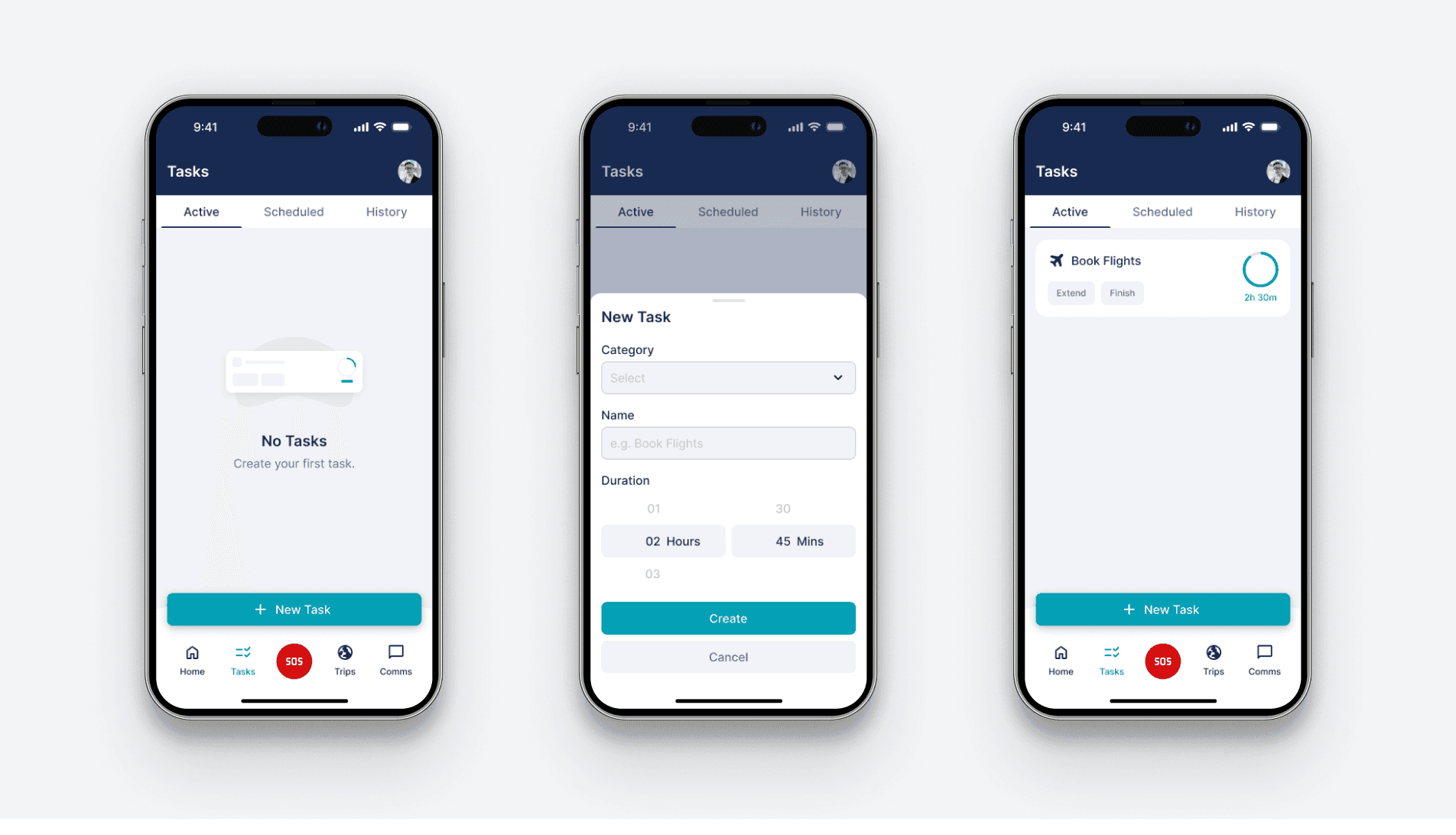
Overview
As one of two lead designers, I was tasked with defining the UI/UX for a new task-management ecosystem. My role involved designing high-utility "Task Card" flows while simultaneously building the foundations of a new, scalable design system under a mobile-first constraint.
Research
To ground the project in user behaviour rather than just visual preference, I defined core personas ranging from "High-Velocity" users demanding "one-tap" efficiency to "Casual" users requiring high-trust patterns and clear visual feedback. This strategic profiling allowed me to identify three critical industry friction points I aimed to solve with this new feature:
Pain Point 1
Common task interfaces often fail to distinguish between "Active" and "Scheduled" tasks at a glance, leading to cognitive friction and missed starts.
Pain Point 2
Many task cards lack immediate "exit" or "restart" actions, forcing users into deep menu navigation for simple status updates.
Pain Point 3
Without clear visual feedback for "Expired" or "Complete" states, main views quickly become cluttered with irrelevant, stale data.
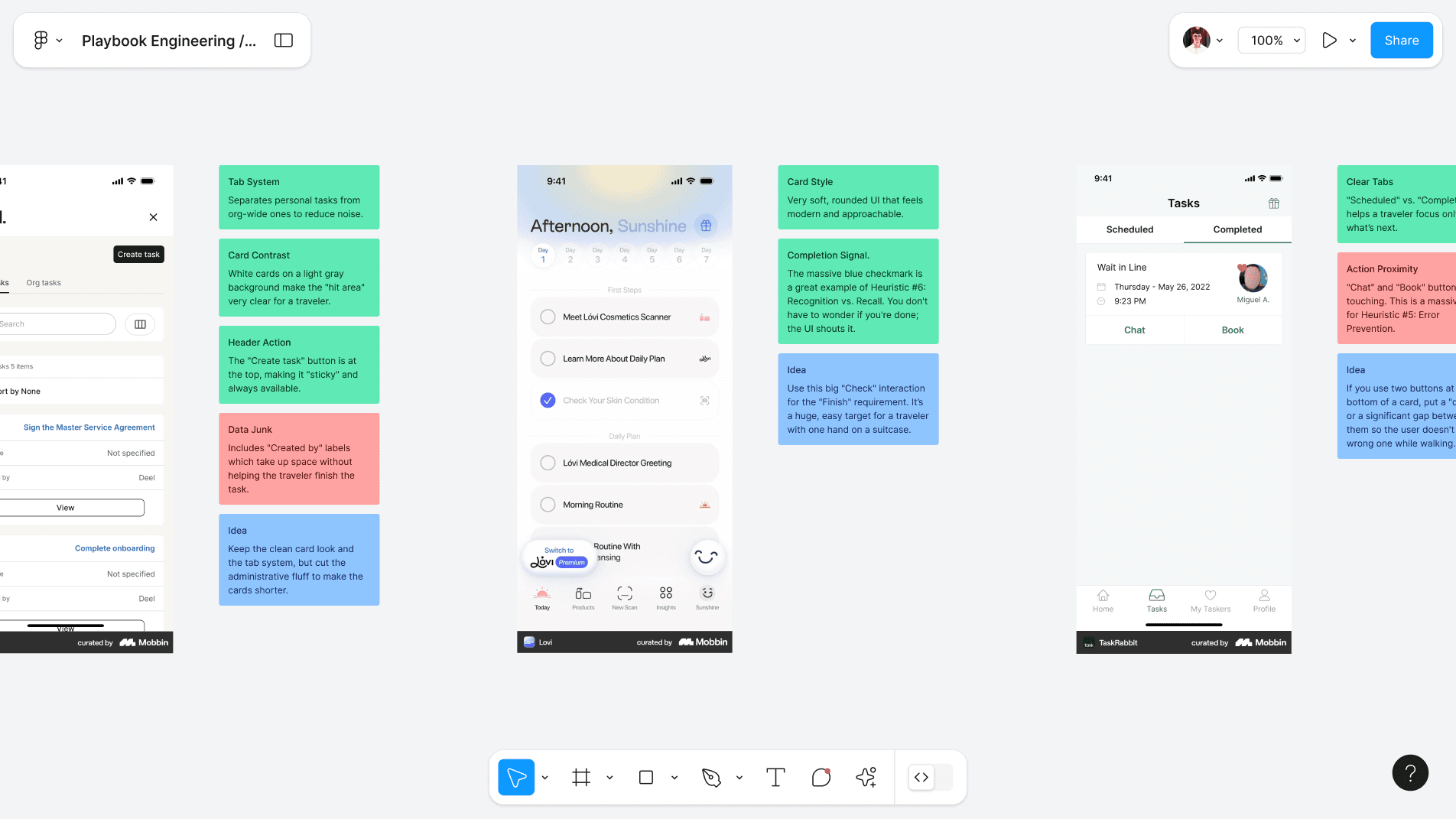
I then conducted a Qualitative Competitive UX Audit in Figma, using Mobbin to analyse industry-leading task-management apps to identify best-in-class components for timers and progress tracking. I utilised a traffic-light prioritisation system to categorise these findings, helping the team align on which patterns were essential "must-haves" to ensure the new feature launch was robust and intuitive.
Architecture
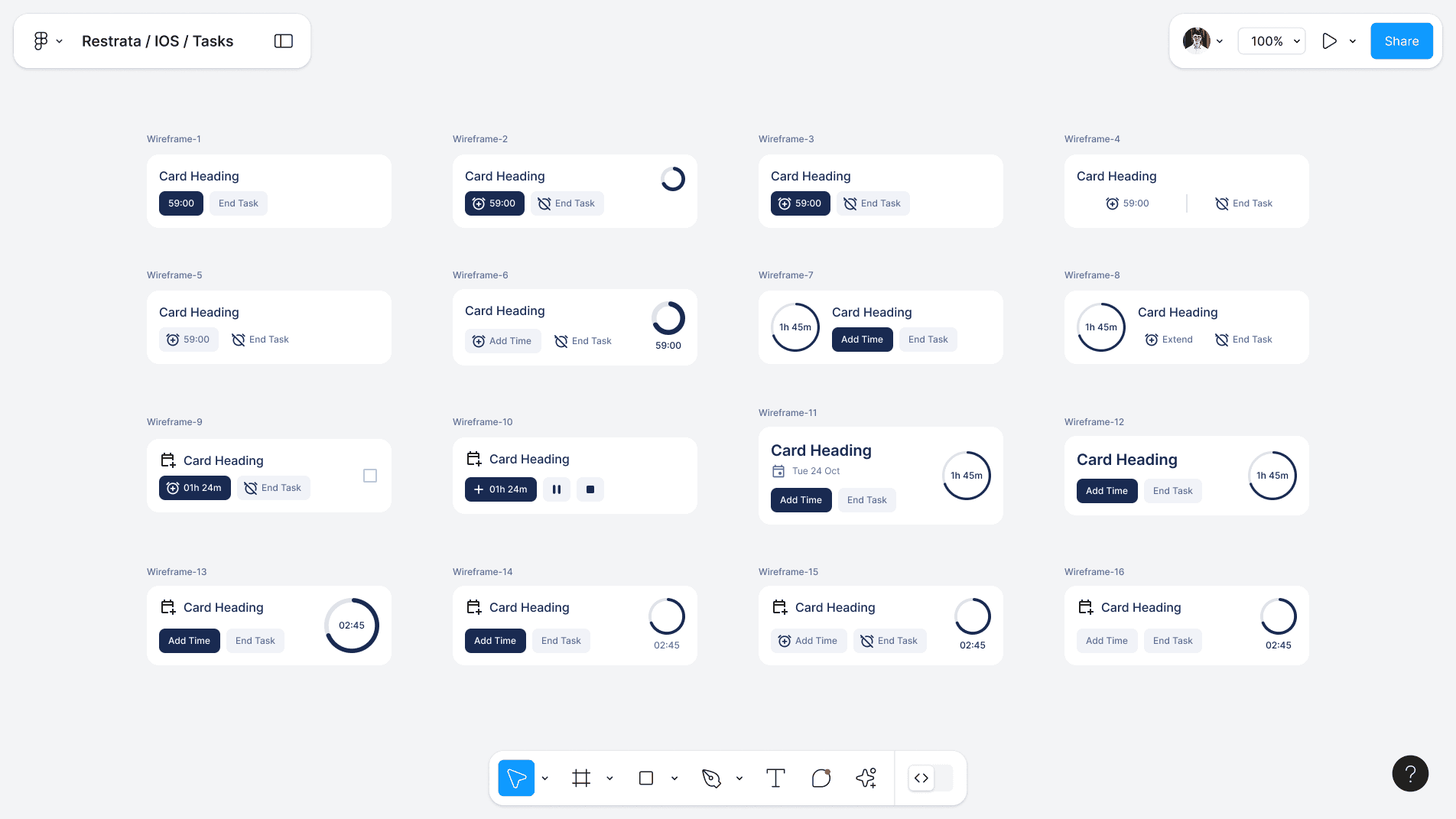
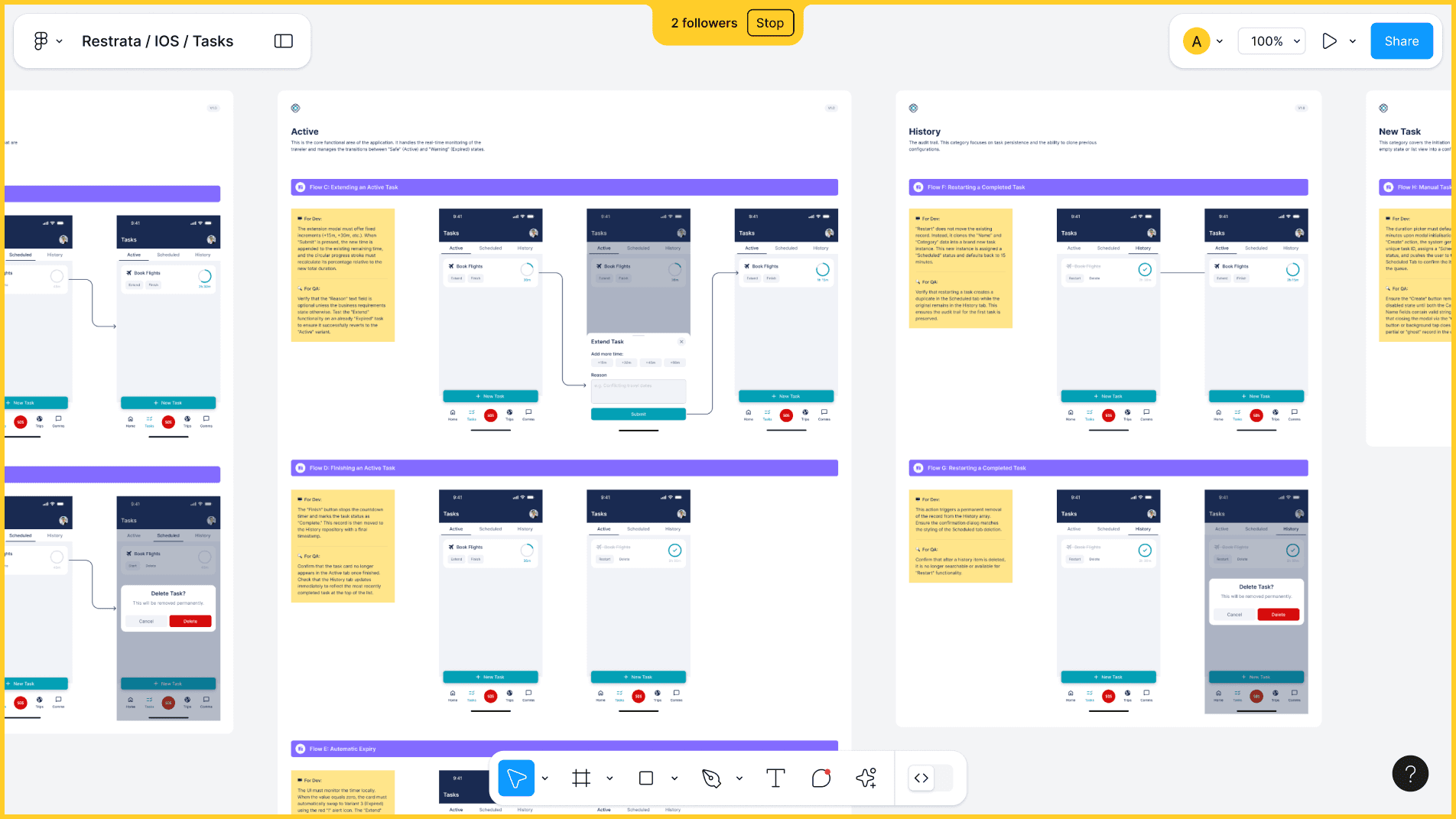
My primary focus was the iteration of the task cards. Drawing inspiration from my research findings, I used rapid wireframing to explore various layouts and hierarchies. By isolating the card as a micro-ecosystem, I ensured the structure remained consistent while the functional utility adapted to the task's lifecycle.
Visual Design
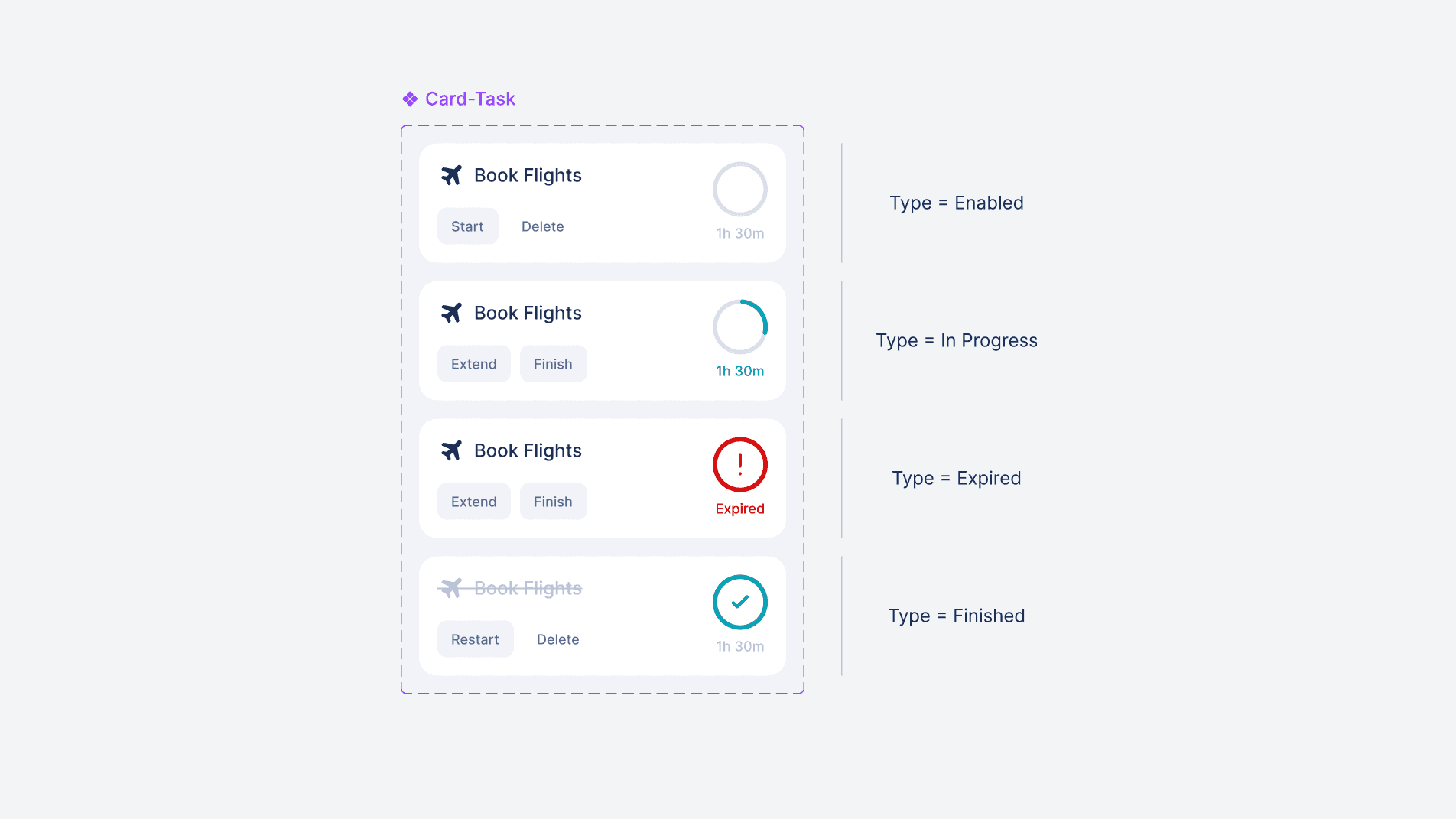
I designed a "utility-first" Master Task Card featuring clear action buttons tailored to specific task states (e.g., Start/Delete or Restart/Delete). I integrated high-contrast status icons and countdown timers for real-time feedback, using these components to form the atoms of a new design system.
Usability Testing
I conducted a Heuristic Evaluation based on Jakob Nielsen’s 10 principles. I focused specifically on "Visibility of System Status" (clear timers) and "Error Prevention" (friction for destructive actions). This identified and resolved UI friction points early, ensuring the new feature felt native and polished before handoff.
Outcome
I delivered a state-driven task engine that simplified complex transitions into an intuitive mobile experience. Building the product and design system in parallel provided a high-quality, dev-ready blueprint that has successfully guided the app’s continued evolution.
Learnings
This project proved the value of focused benchmarking to ensure resilience when launching new, complex features. Beyond the MVP, I identified clear opportunities to scale the system by introducing priority statuses, custom date scheduling, and rich-data task cards (notes and links) to further centralise the user's workflow.