Apple Pay
TLDR
The legacy deposit flow was too rigid to support new payment methods like Apple Pay. I designed a modular, selection-based layout that separated the UI from the payment logic. This successfully launched Apple Pay and created a scalable template for all future integrations.
Industry
iGaming
Role
Product Designer
Timeline
12 Weeks Sprint
Overview
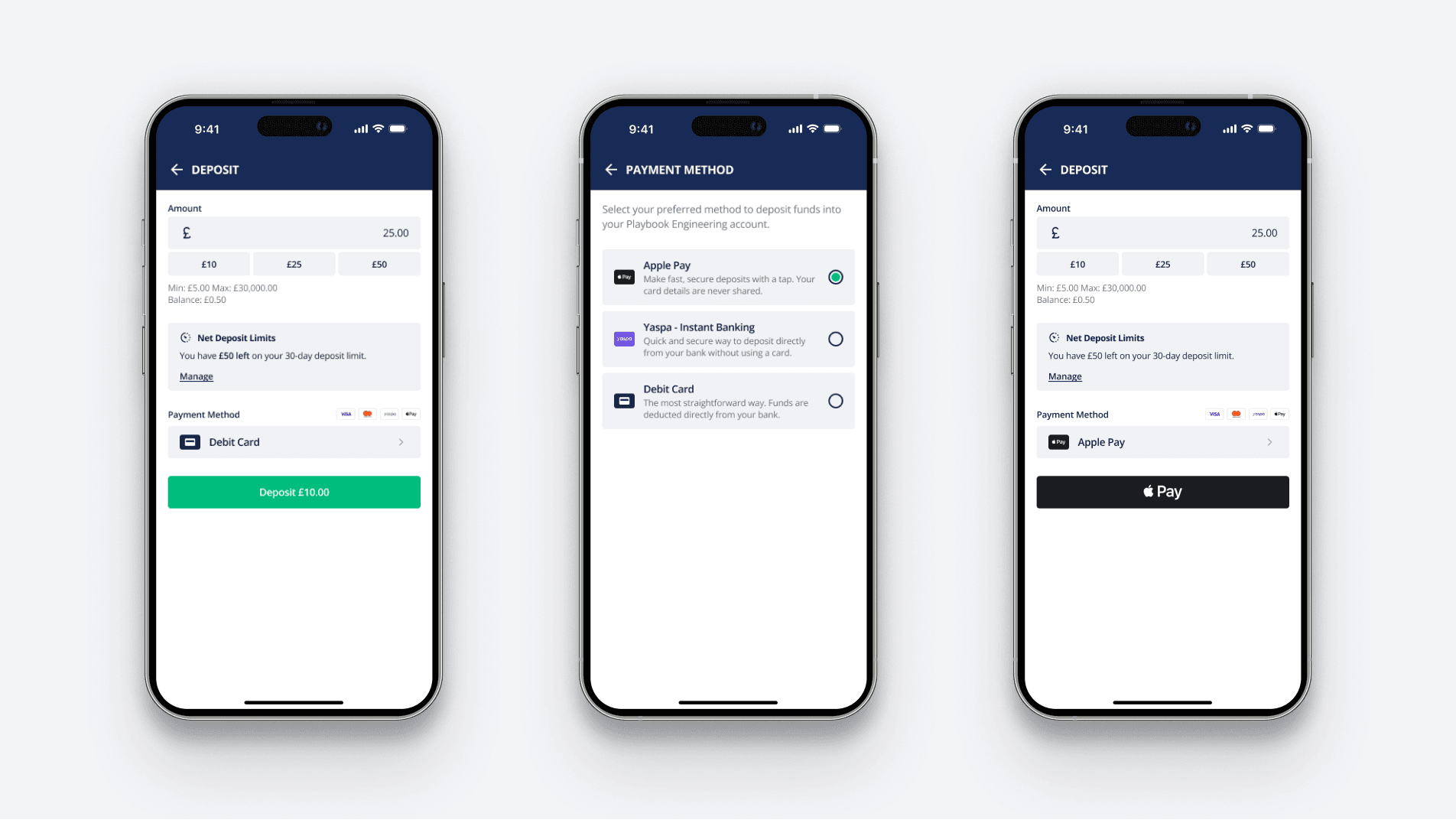
The brief was to add Apple Pay to our white-label product, but the existing UI was a mess. It used a "primary button" for every payment type, which created massive action conflict. I used the integration as an excuse to overhaul the whole flow, moving to a selection-based system that can handle new payment methods without needing a redesign every time.
Research
To ground the project in player behaviour rather than just visual preference, I started by defining three core user personas. These ranged from the high-velocity "VIP" who demands "one-tap" efficiency, to the casual Saturday punter who needs familiar, high-trust patterns to navigate the flow during a busy betting window.
Pain Point 1
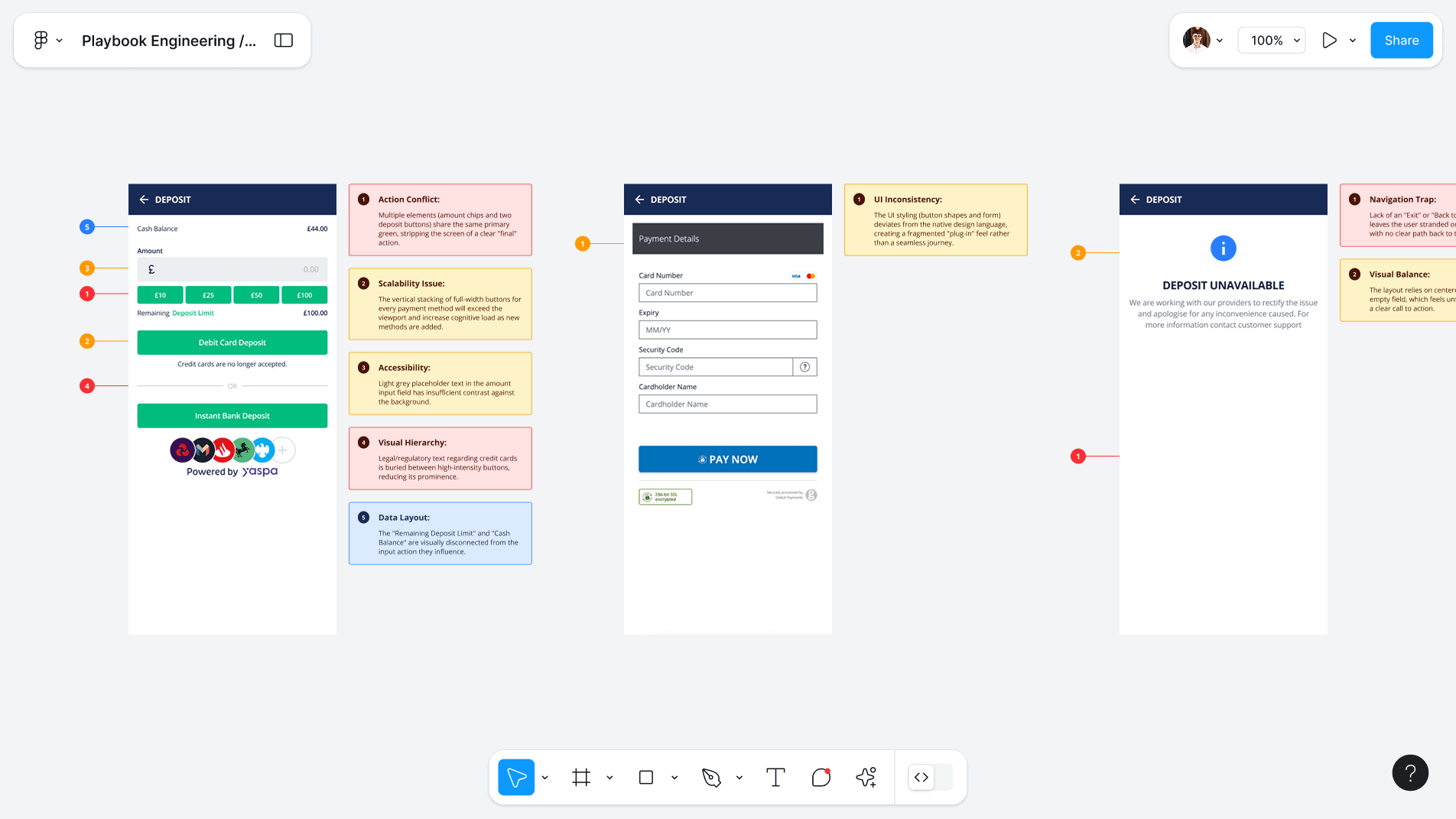
Multiple green buttons created "Action Conflict." It caused users like David to hesitate when trying to fund an account quickly before kickoff.
Pain Point 2
The layout lacked the modern trust signals users like Alex expect. Stacking buttons vertically also meant we couldn't add more methods without breaking the page.
Pain Point 3
Balance and deposit limits were physically separated from the input field. This made it hard for users like Sarah to manage their budget at a glance.
With only four weeks to deliver, I conducted a Heuristic Evaluation of our existing flow to determine exactly where to spend my time. I utilised a traffic-light prioritisation system to align the team on a strict order of priority, identifying which legacy friction points were critical to resolve to meet the brief.
Architecture
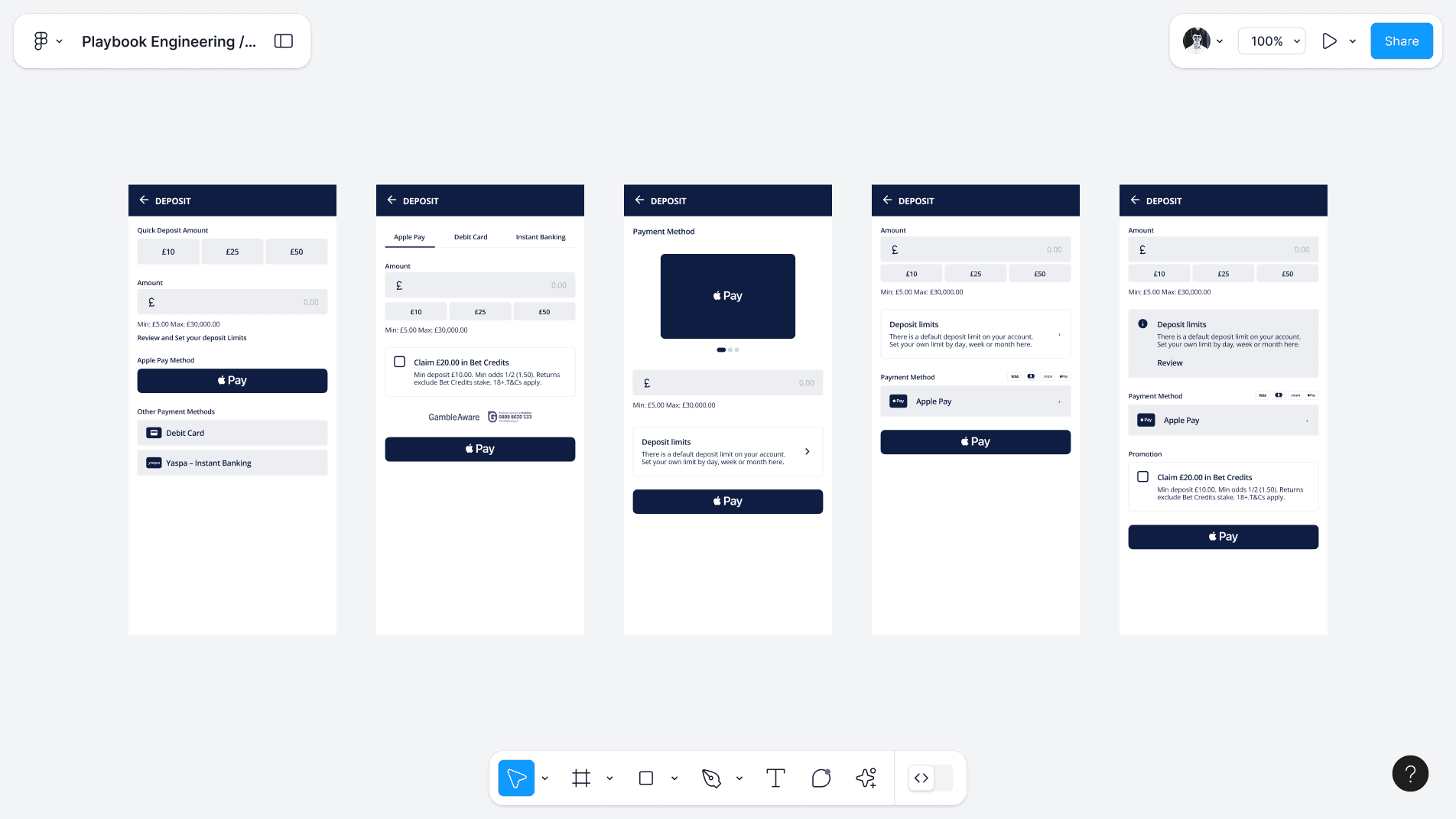
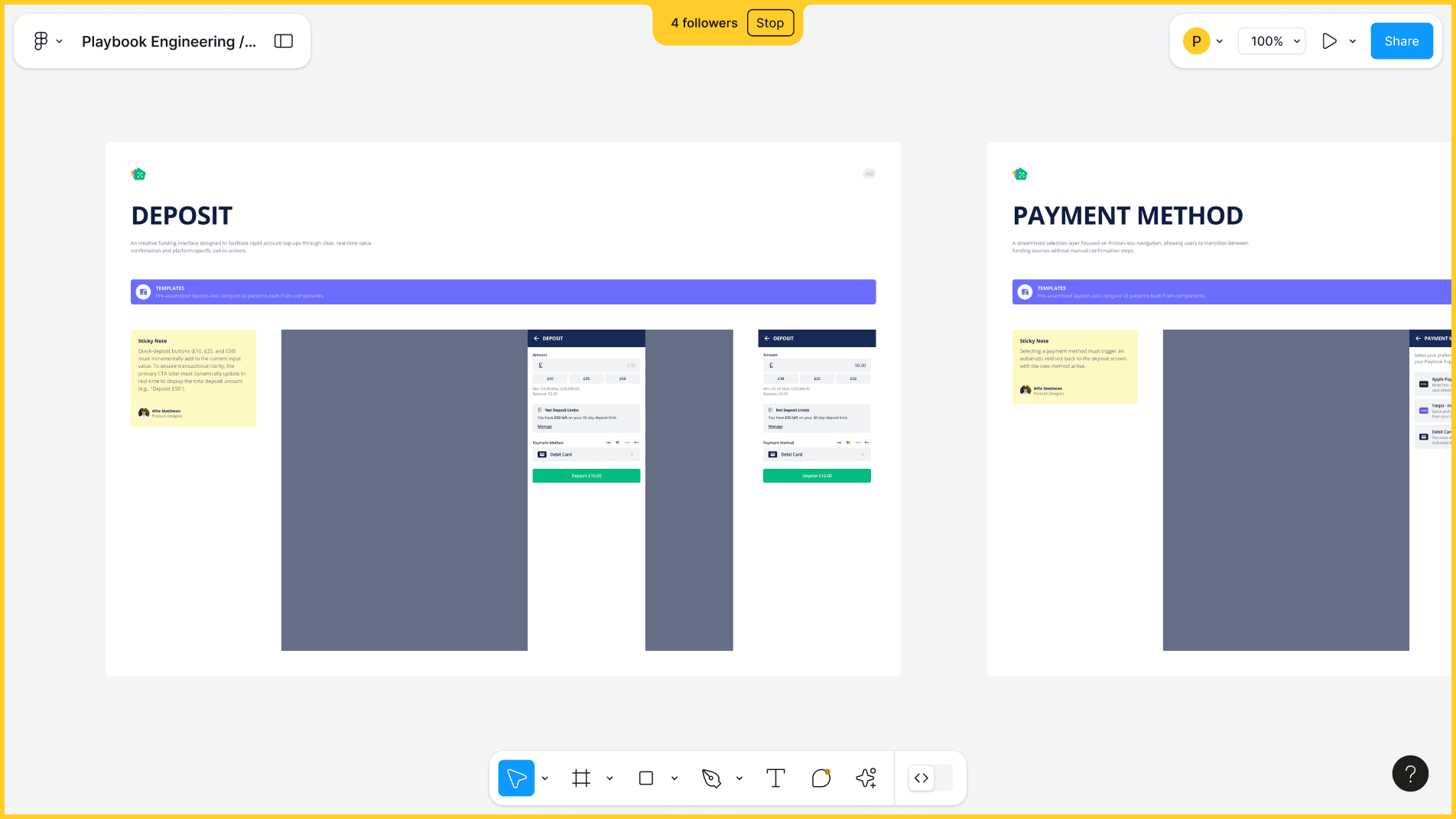
To ensure the new flow felt intuitive, I leant on Jakob’s Law, benchmarking the wireframes against industry leaders to meet existing user expectations. By putting the payment method choice into its own view, I cleared the main deposit screen of clutter. This architecture was a strategic move to handle a technical limitation: while we control the deposit flow, the actual processing screens for payment methods are handled by a third-party iFrame. This setup ensures a seamless handoff while keeping our core UI consistent.
Visual Design
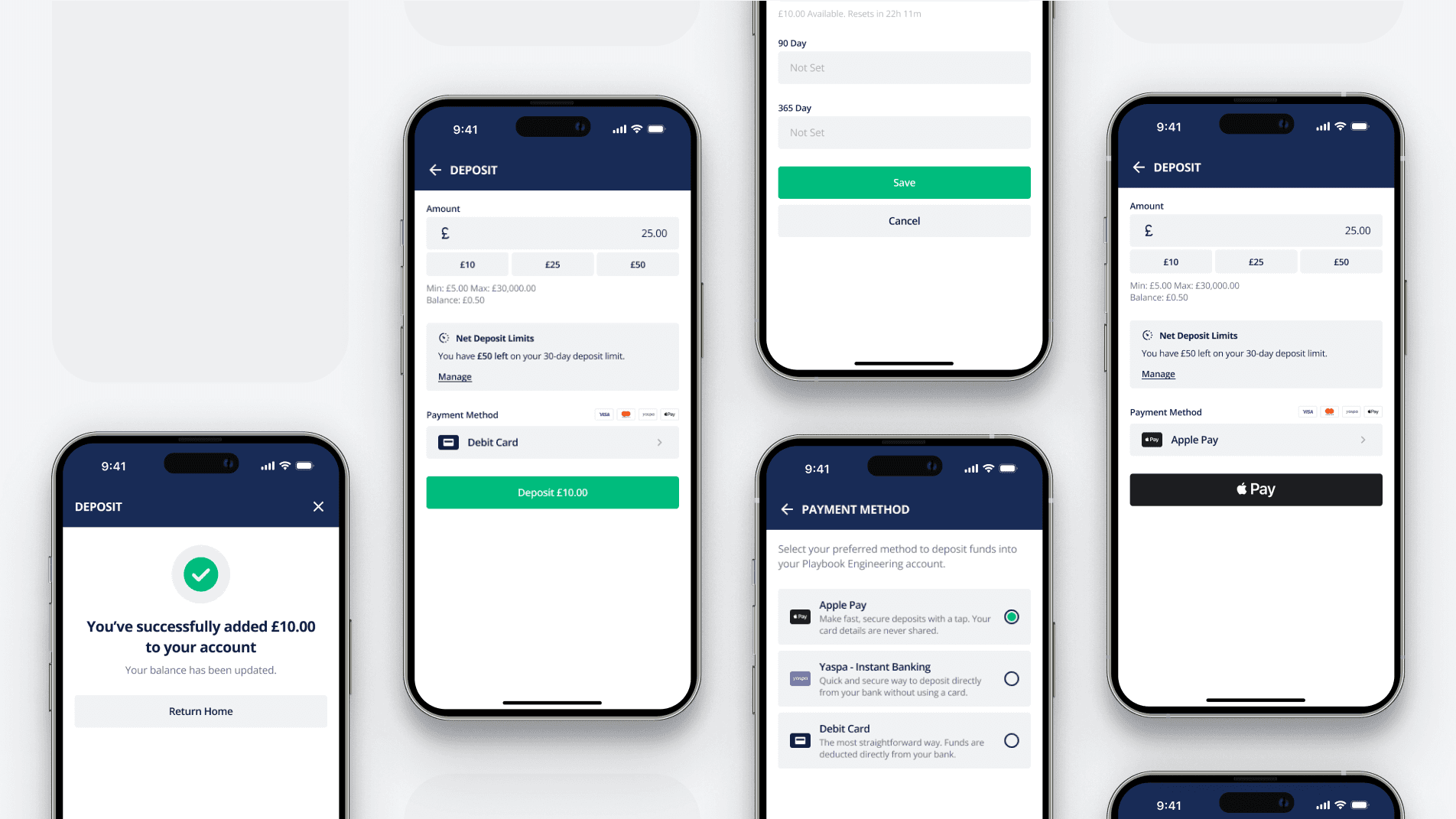
The new UI is built on hierarchy. I introduced a single, unified "Deposit" button at the bottom to act as the clear primary action. I cleaned up the amount selection and moved the deposit limits into an inline education notice. For Apple Pay, I used a clean list with clear icons, making the choice between methods instant.
Usability Testing
Time was tight, so I focused on Fitts’s Law to make sure the primary action was easy to hit and ensured the white-label components felt consistent. Internal walkthroughs showed the new flow felt much faster and killed the "choice paralysis" from the old version.
Outcome
We delivered a future-proof deposit flow and a clean Apple Pay integration that’s already driving a 14% increase in total deposits across our white-label platform. More importantly, we set a scalable design pattern that the devs can easily replicate for any client. The results speak for themselves: we’ve hit a 94% transaction success rate, with the remaining 6% tied strictly to external factors like fraud or insufficient funds. Feedback from operators has been great; they noticed the new model significantly cut down on support queries related to deposit errors.
Learnings
This project reminded me that "small" requests usually hide bigger UX problems. Squeezing an Apple Pay button into the old UI would have made things worse. Pushing for the redesign took more effort, but it saved us from having to redo the whole thing six months later.